

Webhook configuration
What is a webhook?
A webhook is an automated message sent to an external application when an event occurs. At a more technical level, a webhook is an HTTP callback or an HTTP POST request generated by an event notification.
Webhook configuration in the merchant portal
To configure a Webhook, you must first create an endpoint where notifications will be sent. This endpoint must be a URL that accepts HTTP POST requests.
Log into the portal in the Developers menu, in the Webhooks tab. Then to configure an endpoint, select the Add Endpoint option.
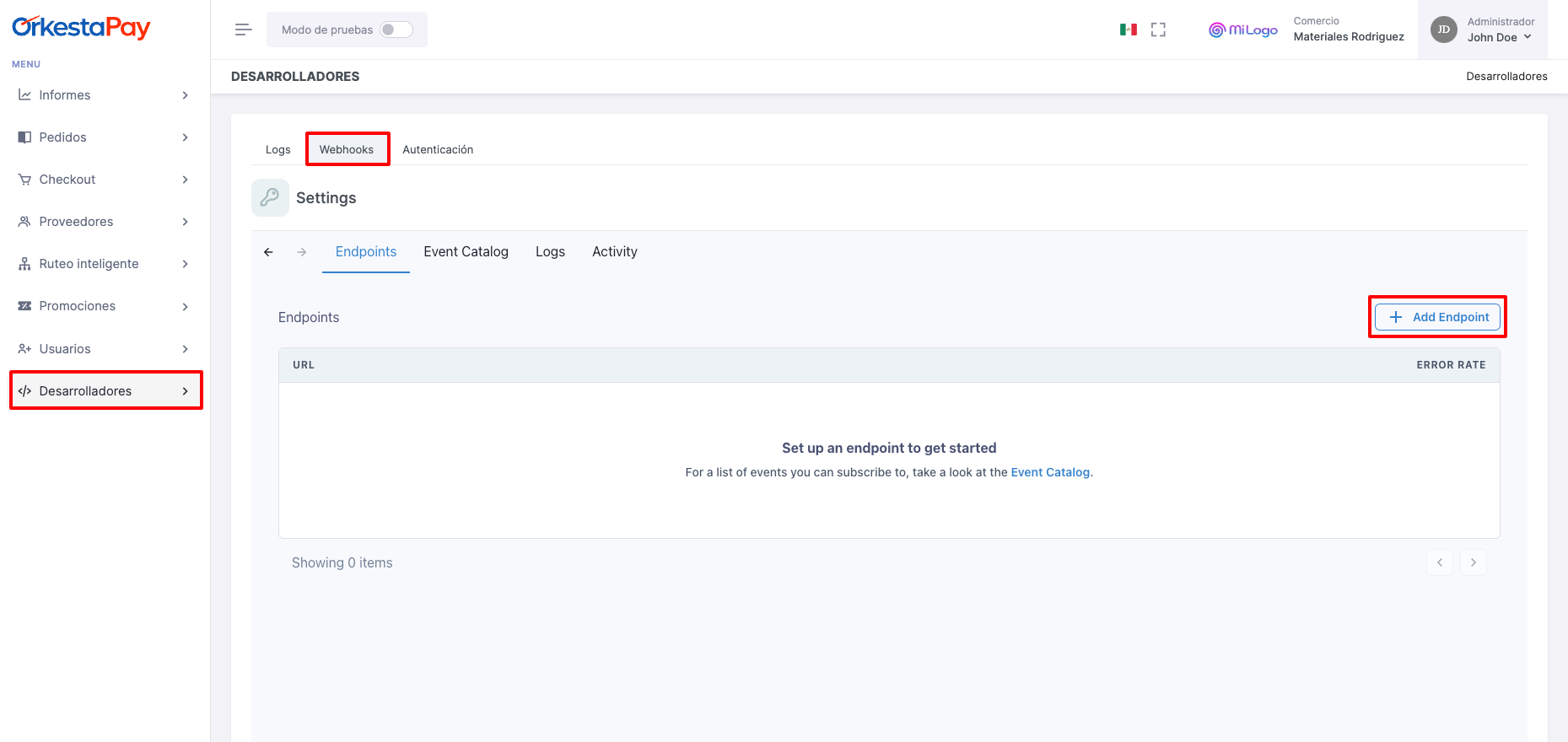
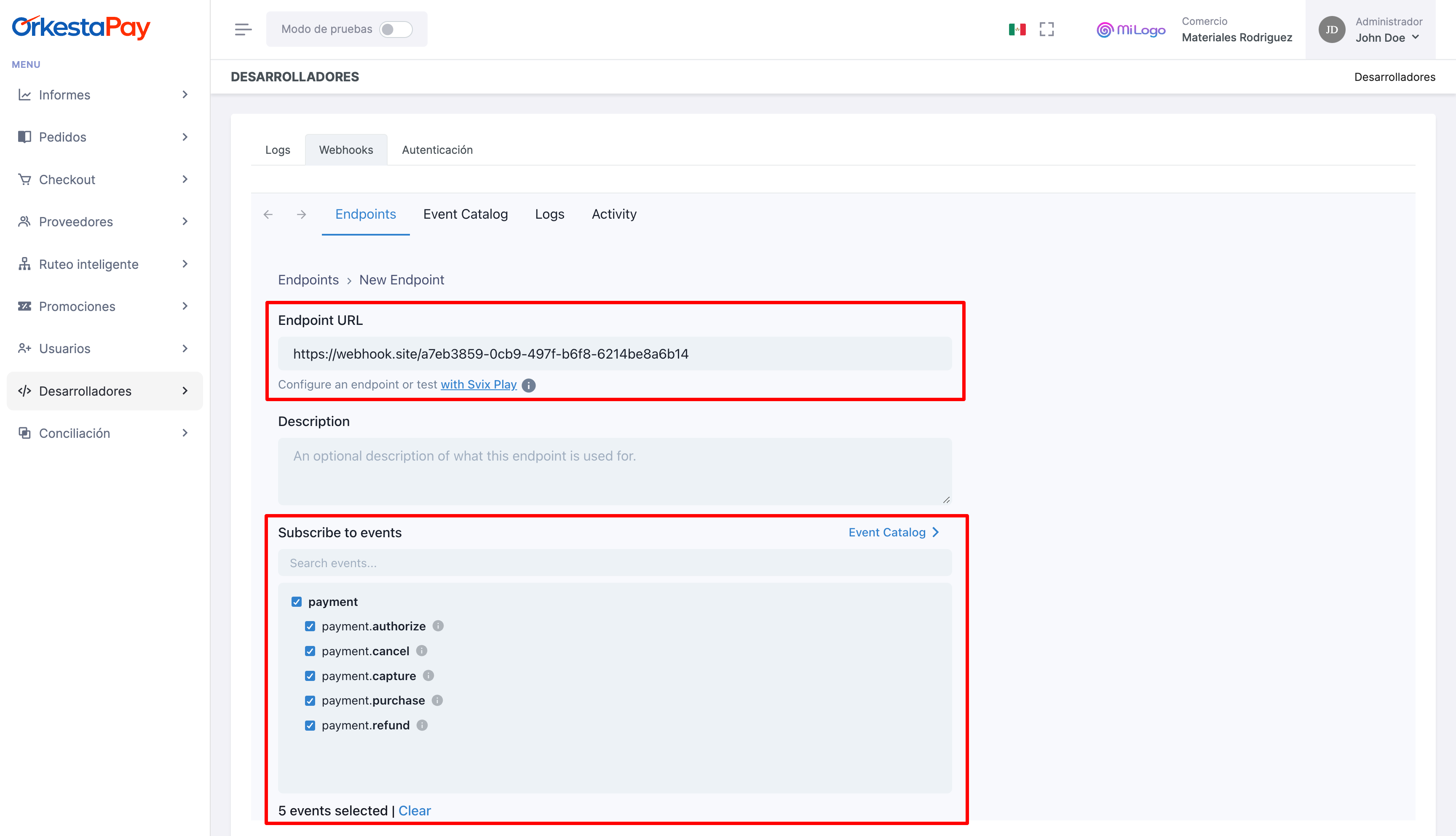
You must follow the steps shown below:
- Add your endpoint URL. Optionally, you can add a description for your endpoint.
- Select the event to be notified to the endpoint in the Subscribe to events option. You must choose at least one event to notify.
Once registered, you can test the webhook in the Testing tab with the available events, which will send a notification with test data.
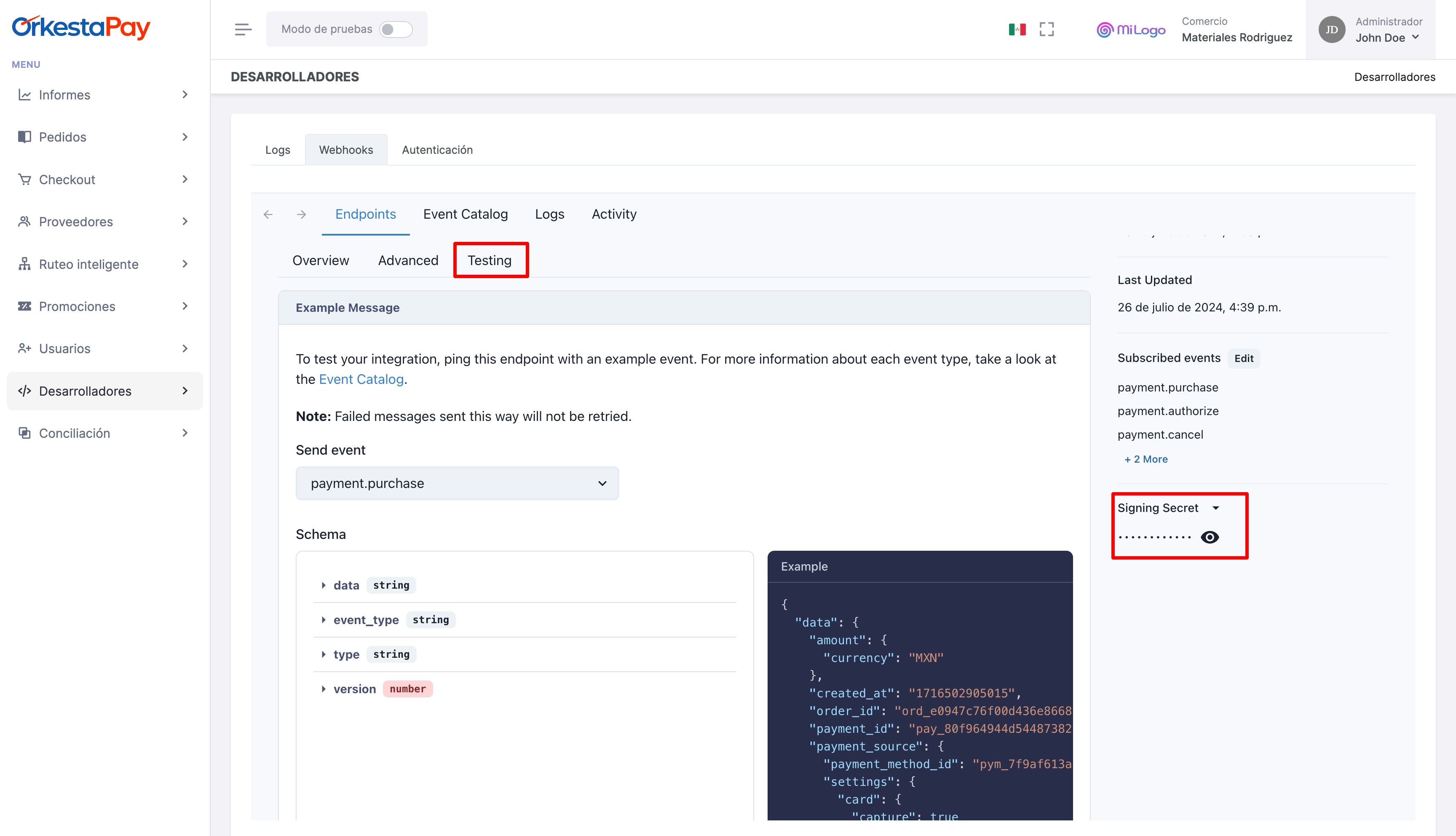
To verify the messages that OrkestaPay sends to the configured webhook, you must use the Webhook Signing Secret that we provide and follow our Message verification guide.
Logs
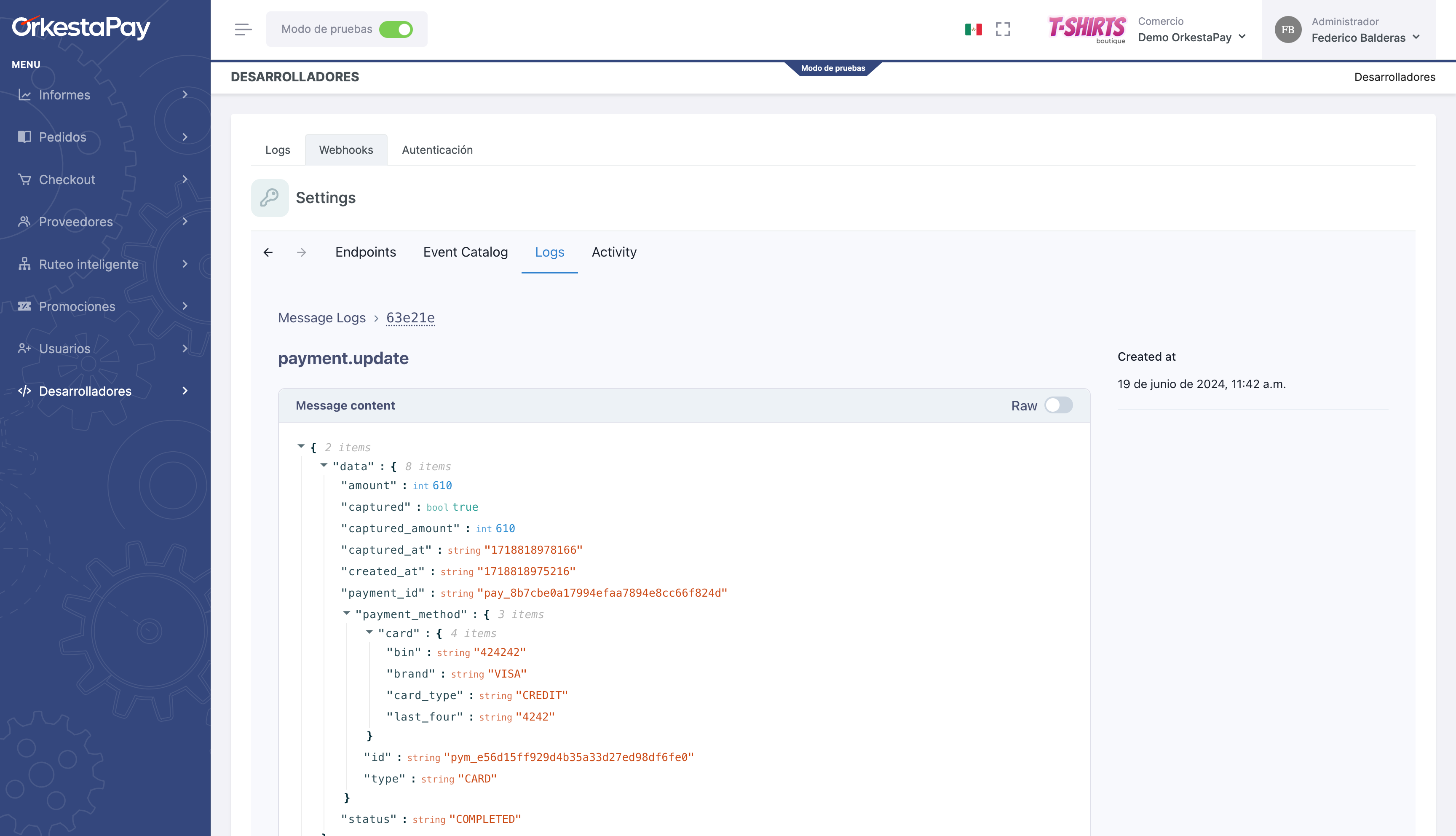
In the Logs section, the notifications that have been sent to the configured webhook are listed.
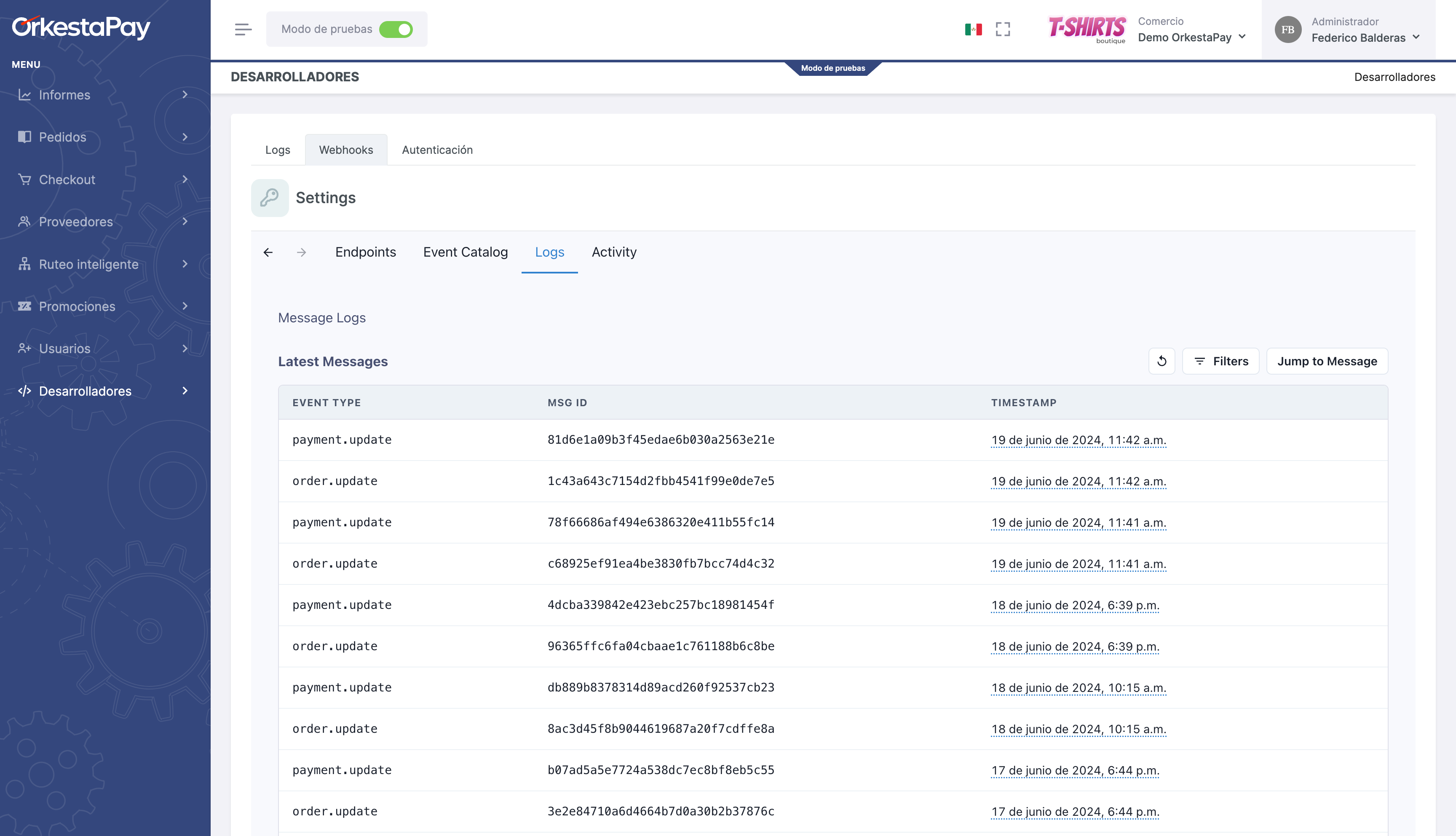
Each notification shows the message details, the notification attempts, and the details of the responses for each notification.
Testing
It should be noted that the URL configured in the webhook must be exposed to the internet in order to receive message notifications.
We recommend using the ngrok tool for local testing.
Updated 4 months ago