

Make your first transaction
Quick start
To get started with a quick integration, we recommend using our Checkout, which will allow you to make a test payment without investing much time.
Payment process flow
- The customer arrives at the payment page of your site or platform.
- You make a server-side request to create an OrkestaPay checkout.
- You redirect the customer to the URL that will be provided to you (
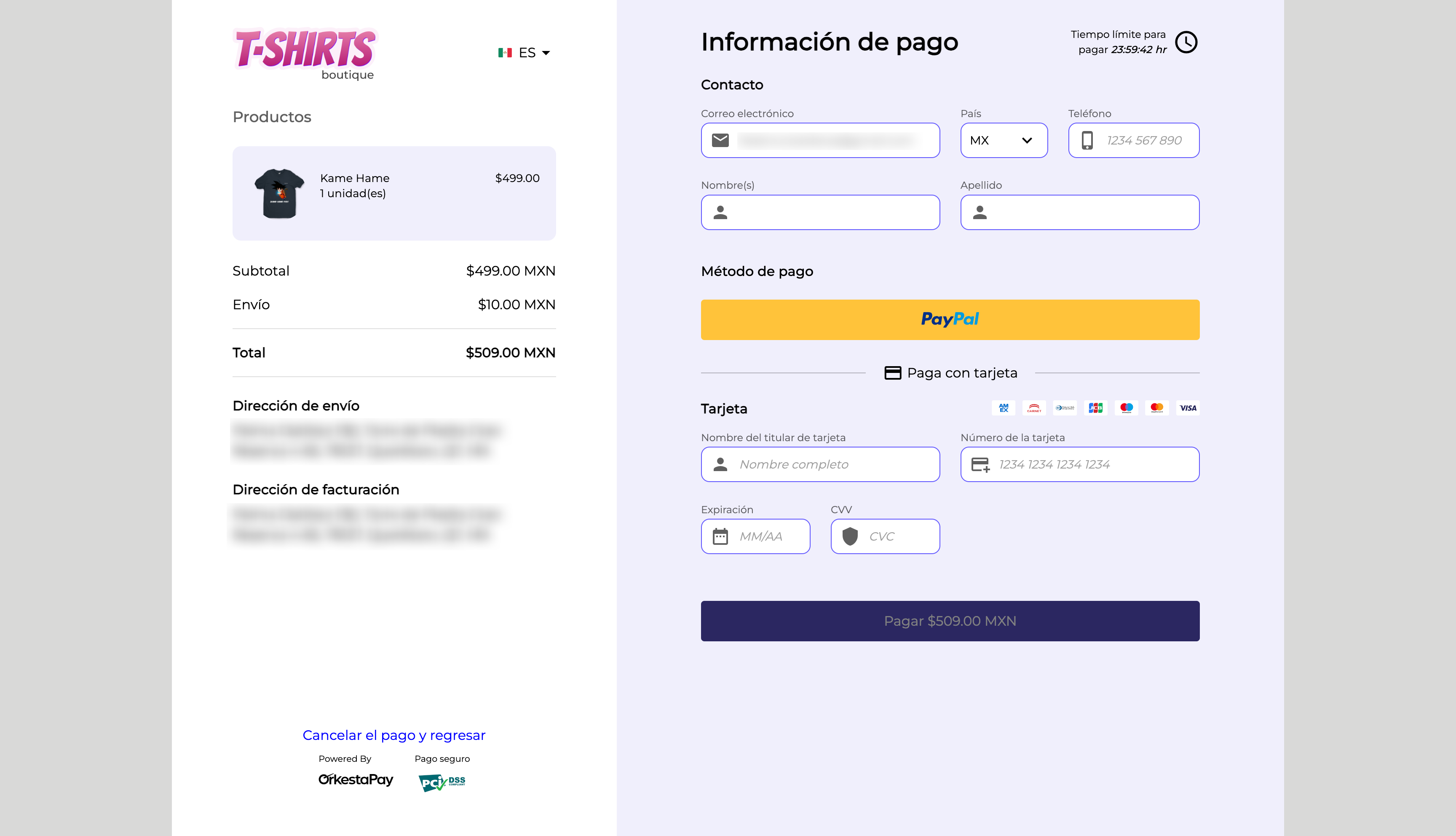
checkout_redirect_url). - The customer sees a summary of their order, as well as the different payment options.
- When the customer makes the payment and it is successful, they will be redirected to a web page that you must have indicated in step 2.
- You can query our API to verify the order status and apply your business logic.
Before you start
To continue with this quick start guide, you must have your API keys and authenticate in order to consume the API services.
Step 1: Create a new checkout
When the customer is ready to pay, you must send the server-side request to create a new checkout. The response from the checkout creation service will return a URL (checkout_redirect_url) to redirect the customer to an OrkestaPay payment page.
Service request example
curl --request POST \
     --url https://api.sand.orkestapay.com/v1/checkouts \
     --header 'Accept: application/json' \
     --header 'Content-Type: application/json' \
     --header 'Authorization: Bearer REPLACE_WITH_YOUR_ACCESS_TOKEN' \
     --data '
{
    "completed_redirect_url": "REPLACE_WITH_YOUR_SUCCESS_URL",
    "canceled_redirect_url": "REPLACE_WITH_YOUR_CANCEL_URL",
    "allow_save_payment_methods": false,
    "locale": "ES_LATAM",
    "order": {
        "merchant_order_id": "1366656595193",
        "currency": "MXN",
        "subtotal_amount": 1000,
        "country_code": "MX",
        "discounts": [
            {
                "amount": 10
            }
        ],
        "total_amount": 990,
        "products": [
            {
                "id": "7197",
                "name": "Pantalla TCL Smart TV Serie A3 A343 HD Android TV 40",
                "quantity": 1,
                "unit_price": 1000
            }
        ],
        "customer": {
            "first_name": "John",
            "last_name": "Doe",
            "email": "[email protected]"
        }
    }
}
'
DocumentationVisit our API documentation: https://docs-en.orkestapay.com/reference/create-checkout
Service response example
{
  "checkout_id": "chk_e69283cb55814402b9372a2f834cc8a8",
  "checkout_redirect_url": "https://checkout.sand.orkestapay.com/#/checkout/chk_e69283cb55814402b9372a2f834cc8a8/6f2d8077c669f0512cb655c1f2d19b3cc020f5fd8b17152e0d3de675575e8f69",
  "completed_redirect_url": "https://example.com/complete?order_id=ord_a73c91e6f6f949a3a39c9557f353d308",
  "canceled_redirect_url": "https://example.com/cancel?order_id=ord_a73c91e6f6f949a3a39c9557f353d308",
  "allow_save_payment_methods": false,
  "locale": "ES_LATAM",
  "placed_at": "1713480514319",
  "order": {
    "order_id": "ord_a73c91e6f6f949a3a39c9557f353d308",
    "status": "CREATED",
    "expires_at": "1713566914212",
    "merchant_order_id": "1366656595193",
    "country": "México",
    "country_code": "MX",
    "currency": "MXN",
    "taxes": [],
    "discounts": [
      {
        "amount": 10
      }
    ],
    "subtotal_amount": 1000,
    "total_amount": 990,
    "products": [
      {
        "product_id": "7197",
        "quantity": 1,
        "unit_price": 1000,
        "name": "Pantalla TCL Smart TV Serie A3 A343 HD Android TV 40"
      }
    ],
    "customer": {
      "customer_id": "cus_414bae1120844159bf10f1d6c7b30d74",
      "first_name": "John",
      "last_name": "Doe",
      "email": "[email protected]",
      "created_at": "1713480514197",
      "updated_at": "1713480514197"
    },
    "placed_at": "1713480514267",
    "metadata": {}
  }
}
DocumentationVisit our API documentation: https://orkestapay.readme.io/reference/create-checkout
Step 2: Redirect the user to the payment checkout
Once you have obtained the response from the checkout creation service, redirect the customer to the URL indicated in the checkout_redirect_url property.
At this URL the customer will be able to see a summary of their order and the payment options to complete their purchase.
Step 3: Handle the payment response
Once the customer has successfully made their payment, they will be redirected to the URL (completed_redirect_url) that was previously indicated in the checkout creation request.
This URL, which must be handled by the merchant integrating OrkestaPay, will have the order_id of the checkout appended to it, so that the order status can be queried and verified whether it has been completed (COMPLETED). This way you can implement the business logic that is most convenient for your merchant.
DocumentationVisit our API documentation: https://orkestapay.readme.io/reference/get-order
Updated 4 months ago