

Checkout integration
Checkout Integration
To perform a payment integration with redirection, it is necessary to follow these steps:
- Service authentication
- Register checkout
- Redirect to the payment checkout
- Success or cancellation redirect
1.- Service authentication
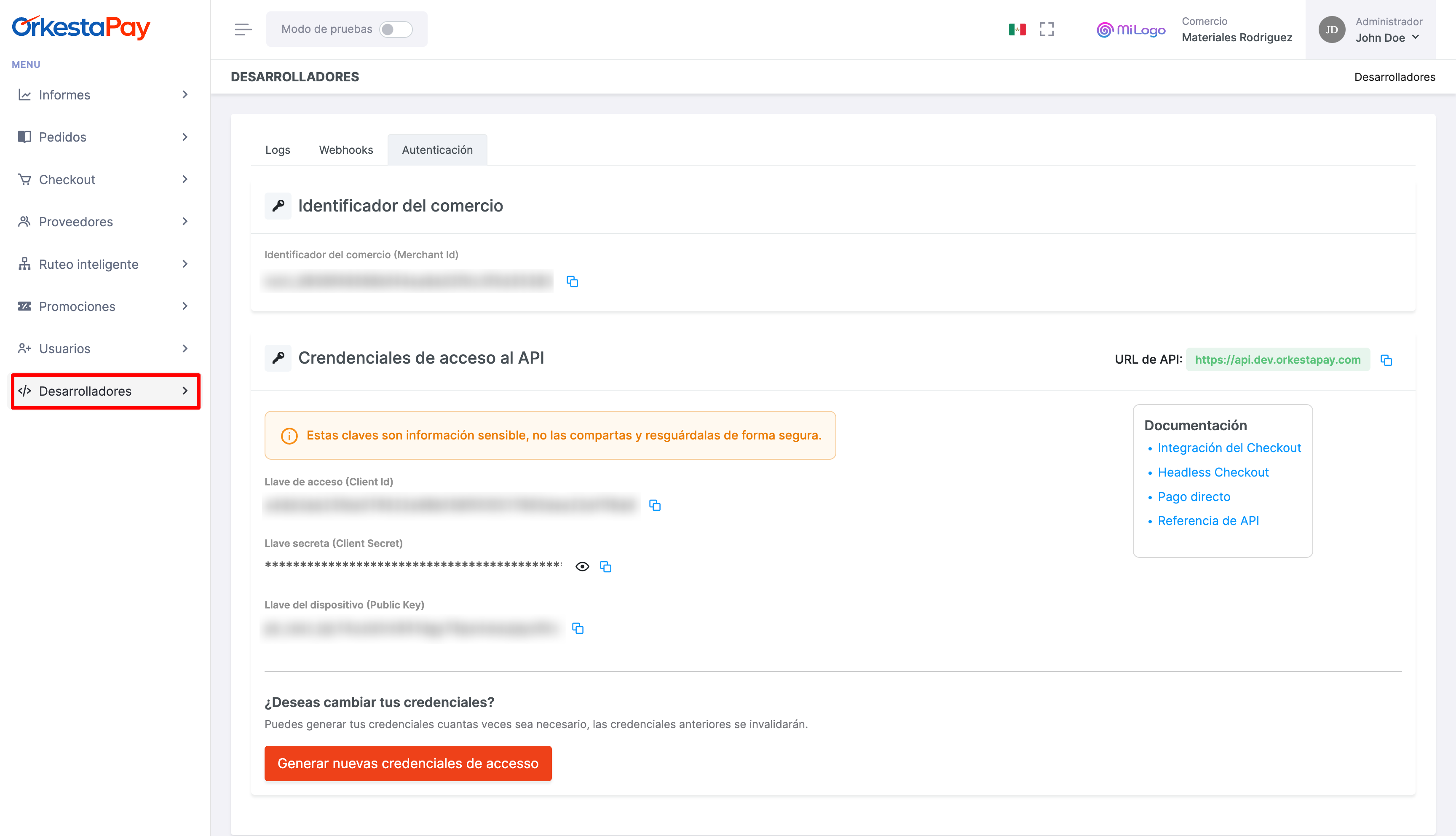
You must copy the API access credentials to call the OrkestaPay authentication service and obtain an access token that will be used to call the rest of the services.
Request to the service
After copying the credentials, you must find the texts REPLACE_WITH_YOUR_CLIENT_ID and REPLACE_WITH_YOUR_CLIENT_SECRET in the script below and replace them with the copied values in order to execute the service call via shell:
client_id: Access keyclient_secret: Secret key
Permission type
The grant_type property must always carry the value client_credentials, since it is the operating model of the oAuth 2.0 protocol that OrkestaPay uses to authenticate services.
curl --request POST \
     --url https://api.sand.orkestapay.com/v1/oauth/tokens \
     --header 'Accept: application/json' \
     --header 'Content-Type: application/json' \
     --data '
{
     "client_id": "REPLACE_WITH_YOUR_CLIENT_ID",
     "client_secret": "REPLACE_WITH_YOUR_CLIENT_SECRET",
     "grant_type": "client_credentials"
}
'
DocumentationVisit our API documentation: https://docs-en.orkestapay.com/reference/get-access-token
Service response
As a result of the call to the authentication service, a JWT token will be returned, which will be used in all subsequent calls to the OrkestaPay API services.
{
  "token_type": "Bearer",
  "expires_in": 1800,
  "access_token": "eyJhbGciOiJSUzI1NiIsInR5cCIgOiAiSldUIiwia2lkIiA6ICIwenJMTnEwbzBab1R4NTlaeWVPaTI1RGxZLWl6cV91SVFSLThWS0RaWjlFIn0.eyJleHAiOjE2Njk4NTAzNTAsImlhdCI6MTY2OTg1MDE3MCwianRpIjoiMWI4MWZhMDItMzk2ZC00NGNjLWJlMzctZGU4ZWQyODg2MTEyIiwiaXNzIjoiaHR0cHM6Ly9kZXYtYXV0aC56ZW5raS5maS9hdXRoL3JlYWxtcy9wYnciLCJzdWIiOiIxMjgyNjJhOS00NDgxLTQ4OGItYTczNi1iNmI5MTA1NjQ4MzQiLCJ0eXAiOiJCZWFyZXIiLCJhenAiOiI1MDg3ODE3MDhjNzk5MTE5NTJkZGJlYWZkZjM5NjNmNTcxYjNjYzE4YzE5YmNkY2YiLCJhY3IiOiIxIiwiYWxsb3dlZC1vcmlnaW5zIjpbImh0dHBzOi8vcG9ydGFsLWRldi56ZW5raS5maSJdLCJyZWFsbV9hY2Nlc3MiOnsicm9sZXMiOlsiYXBpIiwiYXBpX3plbmtpcGF5Il19LCJzY29wZSI6InByb2ZpbGUgZW1haWwiLCJlbWFpbF92ZXJpZmllZCI6ZmFsc2UsImNsaWVudEhvc3QiOiIzNS44NS4yMy4xOTAiLCJjbGllbnRJZCI6IjUwODc4MTcwOGM3OTkxMTk1MmRkYmVhZmRmMzk2M2Y1NzFiM2NjMThjMTliY2RjZiIsInByZWZlcnJlZF91c2VybmFtZSI6InNlcnZpY2UtYWNjb3VudC01MDg3ODE3MDhjNzk5MTE5NTJkZGJlYWZkZjM5NjNmNTcxYjNjYzE4YzE5YmNkY2YiLCJjbGllbnRBZGRyZXNzIjoiMzUuODUuMjMuMTkwIn0.Ds5eQ-tkn4ckTUHI-mrJn6eYBaUa-6uZNxzrGRfYc5neI1TvB2RHu_IDsktDVi9XdR5P_P0mSpzar9jWJOrxxA_csTnn9ZXy8rDeRqjMm9j03xWz-tZcxiUM6xvN1qvOeBGFzISIP9y24jyL0Jqpl8YhkSGF8xBfFvfhOvEMvgLby5n7dTDoZVi2Bw8G1kZJKPejmBu8MJetl08OoVk_obp6lW3YetQPYTwsutOc_yIxBIUkPSH2Gj3wpBxBa8EfMES4J1SAT7Thpw_CmZ_PNB9rEDUJI4bzE7QM2Z0n4LNXzbo5JFuWudKwfhqOcryH0slmHOamJgbtR5EGryf8LQ"
}
DocumentationVisit our API documentation: https://docs-en.orkestapay.com/reference/get-access-token
2.- Register checkout
After obtaining the access token, a checkout must be registered by calling the create checkout service in the OrkestaPay API.
Request to the service
The "create checkout" service must be called, and as part of the request, a pair of URLs must be sent that will serve to redirect the buyer once the payment has been completed (REPLACE_WITH_YOUR_SUCCESS_URL), or if it has been canceled (REPLACE_WITH_YOUR_CANCEL_URL). Additionally, the Authorization header must be sent with the access_token obtained in step 1 as its value.
You must find the text REPLACE_WITH_YOUR_ACCESS_TOKEN in the script below and replace it with the JWT token.
curl --request POST \
     --url https://api.sand.orkestapay.com/v1/checkouts \
     --header 'Accept: application/json' \
     --header 'Content-Type: application/json' \
     --header 'Authorization: Bearer REPLACE_WITH_YOUR_ACCESS_TOKEN' \
     --data '
{
    "completed_redirect_url": "REPLACE_WITH_YOUR_SUCCESS_URL",
    "canceled_redirect_url": "REPLACE_WITH_YOUR_CANCEL_URL",
    "allow_save_payment_methods": false,
    "locale": "ES_LATAM",
    "order": {
        "merchant_order_id": "1366656595193",
        "currency": "MXN",
        "subtotal_amount": 1000,
        "country_code": "MX",
        "discounts": [
            {
                "amount": 10
            }
        ],
        "total_amount": 990,
        "products": [
            {
                "id": "7197",
                "name": "Pantalla TCL Smart TV Serie A3 A343 HD Android TV 40",
                "quantity": 1,
                "unit_price": 1000
            }
        ],
        "customer": {
            "first_name": "John",
            "last_name": "Doe",
            "email": "[email protected]"
        }
    }
}
'
DocumentationVisit our API documentation: https://docs-en.orkestapay.com/reference/create-checkout
Service response
When registering a checkout, the following information will be returned. For now and for the purposes of the example, only the checkout_redirect_url will be of interest.
{
  "checkout_id": "chk_e69283cb55814402b9372a2f834cc8a8",
  "checkout_redirect_url": "https://checkout.dev.orkesta.io/#/checkout/chk_e69283cb55814402b9372a2f834cc8a8/6f2d8077c669f0512cb655c1f2d19b3cc020f5fd8b17152e0d3de675575e8f69",
  "completed_redirect_url": "https://example.com/complete",
  "canceled_redirect_url": "https://example.com/cancel",
  "allow_save_payment_methods": false,
  "locale": "ES_LATAM",
  "placed_at": "1713480514319",
  "order": {
    "order_id": "ord_a73c91e6f6f949a3a39c9557f353d308",
    "status": "CREATED",
    "expires_at": "1713566914212",
    "merchant_order_id": "1366656595193",
    "country": "México",
    "country_code": "MX",
    "currency": "MXN",
    "taxes": [],
    "discounts": [
      {
        "amount": 10
      }
    ],
    "subtotal_amount": 1000,
    "total_amount": 990,
    "products": [
      {
        "product_id": "7197",
        "quantity": 1,
        "unit_price": 1000,
        "name": "Pantalla TCL Smart TV Serie A3 A343 HD Android TV 40"
      }
    ],
    "customer": {
      "customer_id": "cus_414bae1120844159bf10f1d6c7b30d74",
      "first_name": "John",
      "last_name": "Doe",
      "email": "[email protected]",
      "created_at": "1713480514197",
      "updated_at": "1713480514197"
    },
    "placed_at": "1713480514267",
    "metadata": {}
  }
}
DocumentationVisit our API documentation: https://docs-en.orkestapay.com/reference/create-checkout
3.- Redirect to the payment checkout
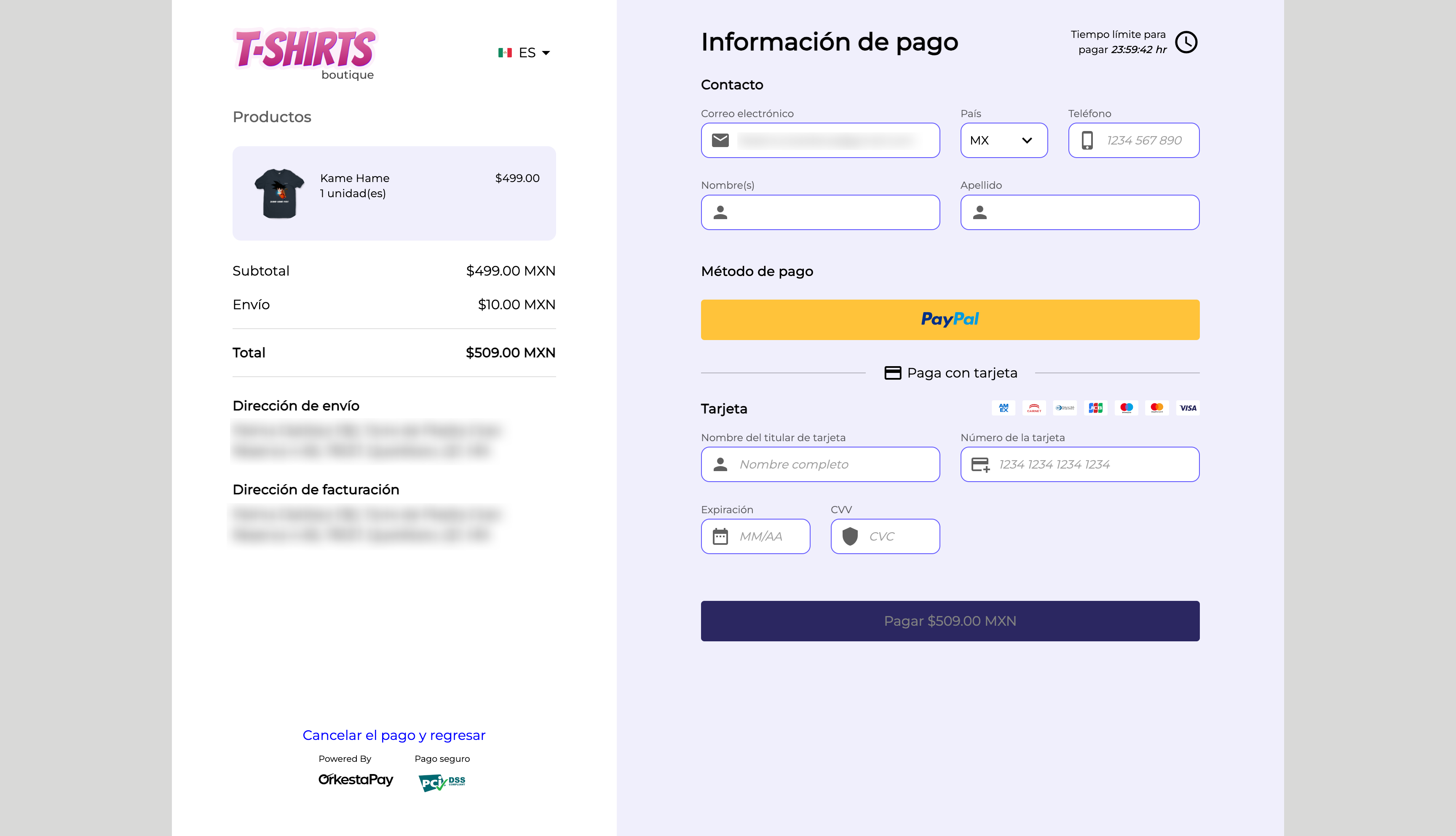
After registering the checkout, redirect the buyer to the payment checkout URL where they can complete their purchase.
The checkout design can be customized with your merchant's brand and branding. This customization is configured from the OrkestaPay dashboard.
4.- Success or cancellation redirect
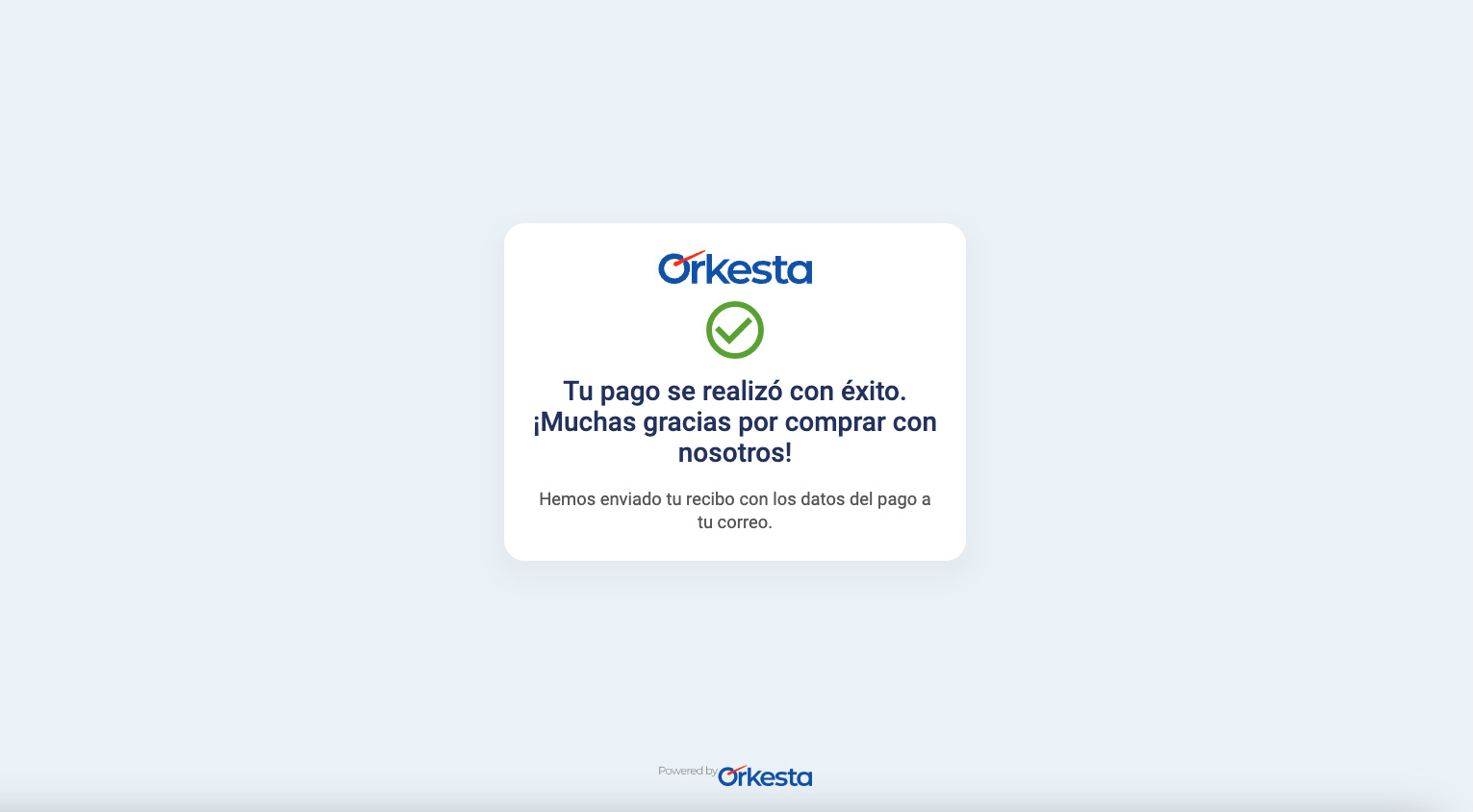
The buyer will have the option to cancel and return to the store (canceled_redirect_url) or complete the payment, upon which they will be redirected to the URL indicated during the checkout registration process (completed_redirect_url). The following image is for illustrative purposes only.
NOTEIt is recommended that these pair of URLs include parameters that allow your integration to manage the behavior and status of the order/purchase.
Updated 4 months ago