

Checkout customization
Checkout Customization
Customizing the payment process is essential to provide an exceptional user experience. Our payment system allows users to add their logo, set the payment expiration time, and adjust the colors of the web interface. This capability not only strengthens brand identity but also increases customer trust and improves the consistency of the online shopping experience.
With this functionality, we provide a solution tailored to the individual needs of each business, ensuring smoother transactions and greater customer satisfaction.
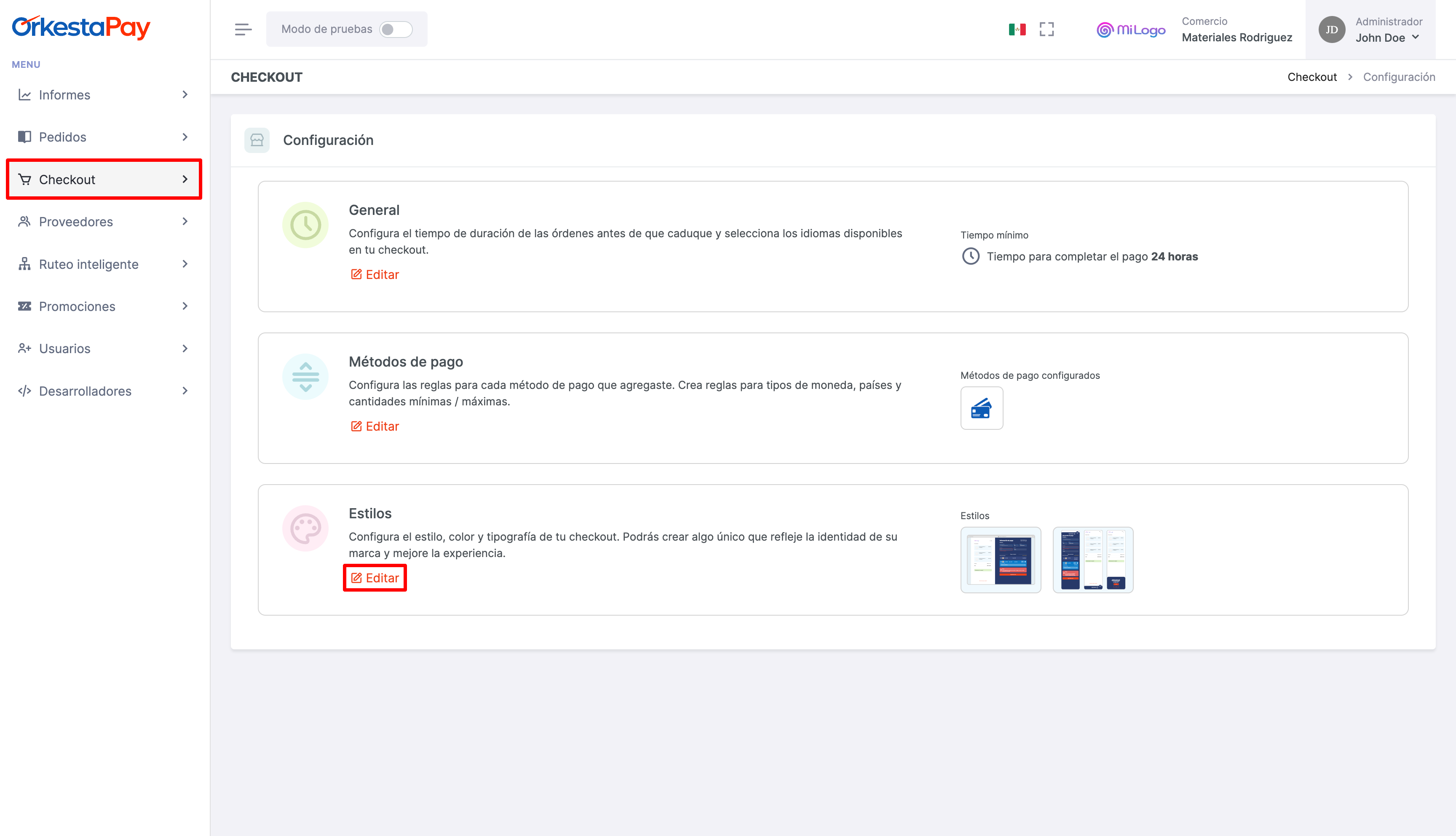
To access this section, go to "Checkout" > "Styles" and then click the "Edit" button.
To customize the different layout elements, you must click on them to display the configuration options.
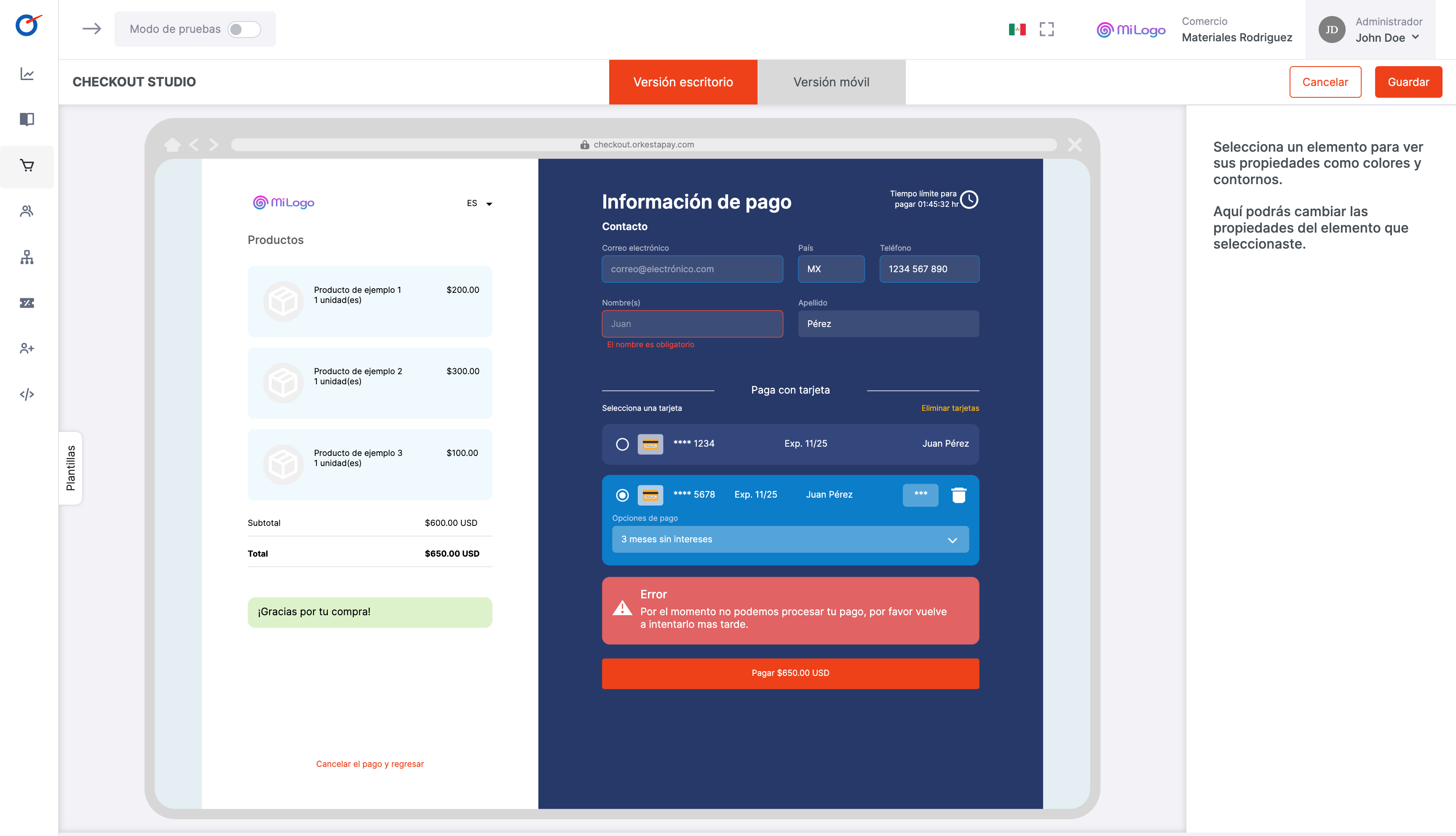
Customization options
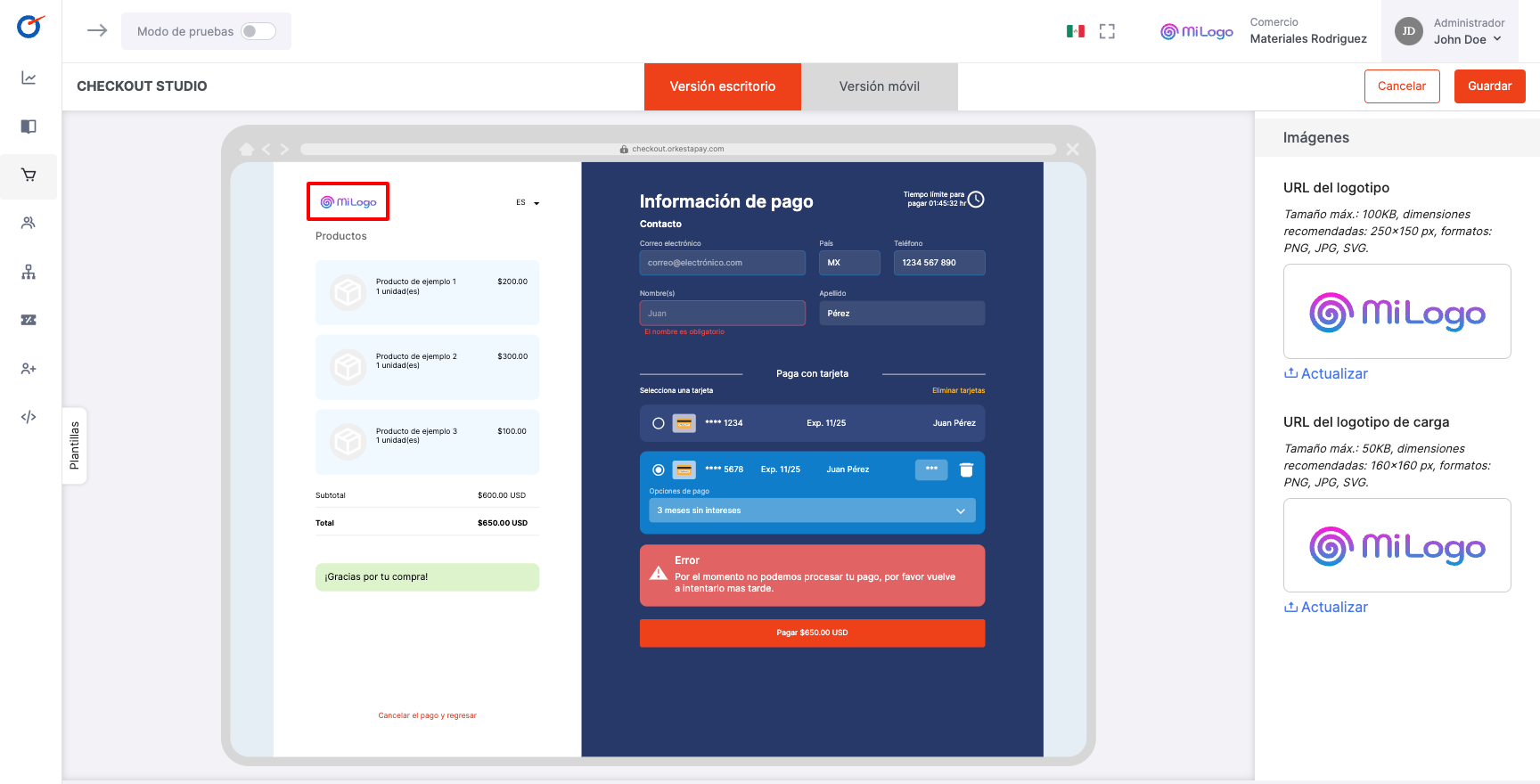
Logo
To upload your company's logo, you need to click on the logo in the displayed layout. You also have the option to upload a specific logo that will be displayed during the loading process. This loading logo will be visible while the customer interacts with the checkout portal, ensuring a cohesive and professional brand experience at all times.
Customizing the logo not only reinforces your company's identity, but also contributes to a more attractive and memorable user experience during the payment process.
Images must comply with a defined maximum size and be of accepted file types for optimal display in our checkout portal. These restrictions ensure consistency and professionalism in the payment experience.
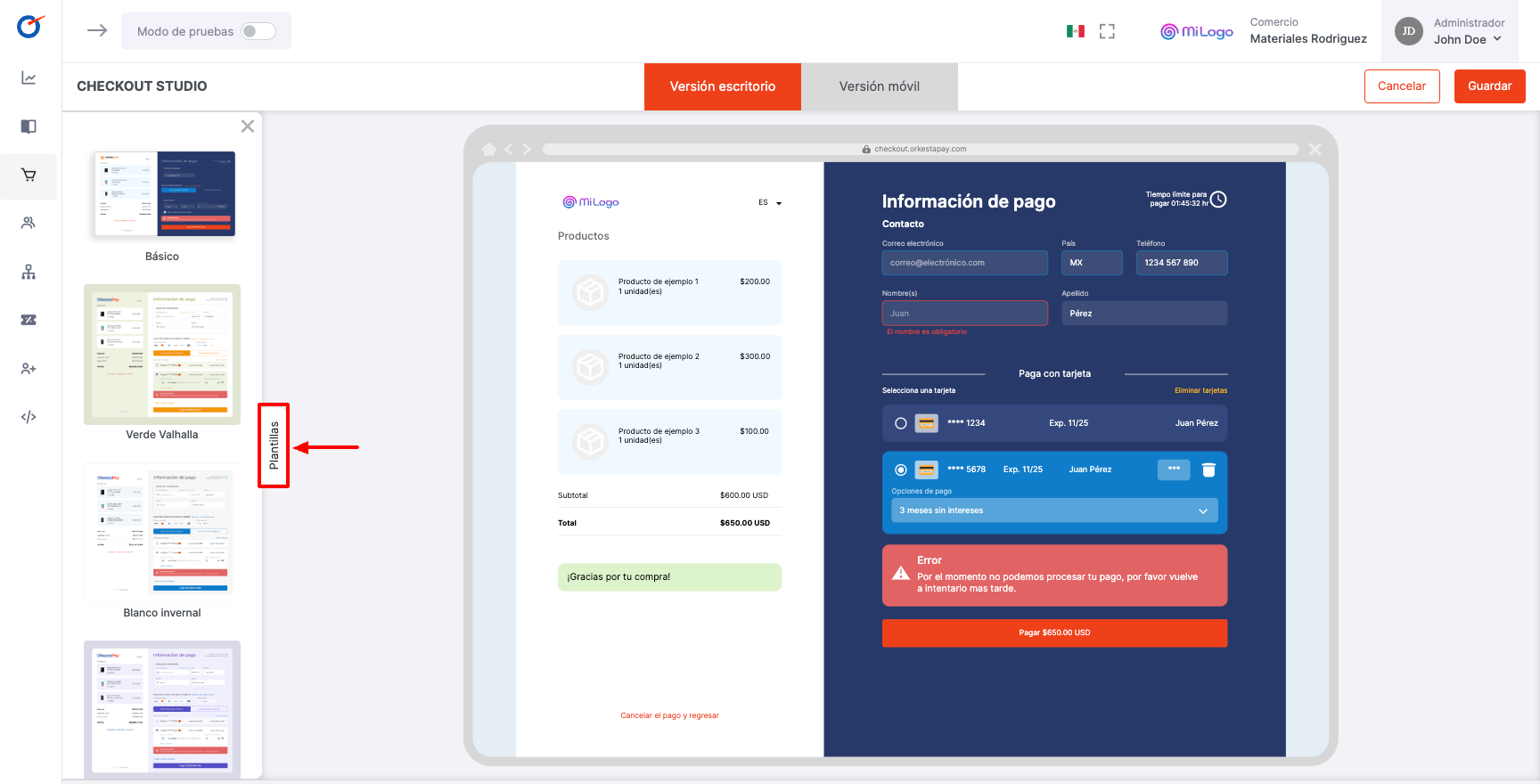
Templates Section
The templates section provides a variety of pre-designed layouts to customize the appearance of your checkout portal. These templates offer a quick and easy way to give your payment process a professional look consistent with your brand identity.
You can choose from a variety of styles, colors, and layouts that best suit your commercial and aesthetic needs. By using these templates, you can also modify the colors in the section explained below.
Color customization
The color customization feature allows users to intuitively adjust the color palette of their payment portal. With this feature, users can select specific colors for key elements such as buttons, backgrounds, and text, adapting them to the visual identity of their brand.
This not only provides a more pleasant and consistent shopping experience for customers, but also strengthens brand presence by reflecting its distinctive colors throughout the payment process.
The flexibility and ease of use of the color palette and hexadecimal code make customization accessible to users of all skill levels.
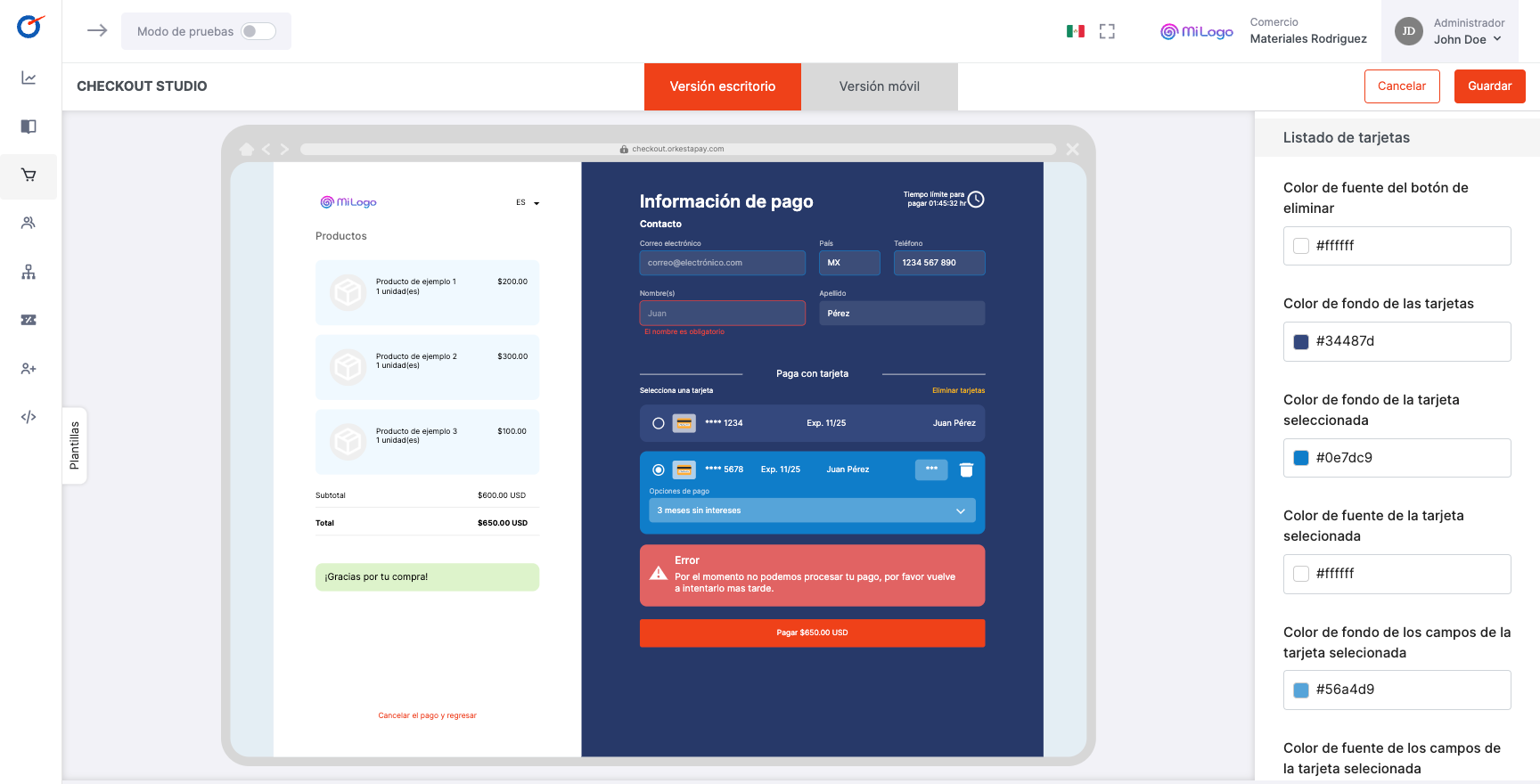
List of customizable areas
Below is the list of areas whose color can be customized:
- Products
- Summary
- Payment message
- Payments
- Form
- Card list
- Error message
- Payment button
- Dialog
Updated 4 months ago