

Get API keys
Get API Keys
To integrate OrkestaPay into your project, either via API or through one of our plugins, you need integration keys.
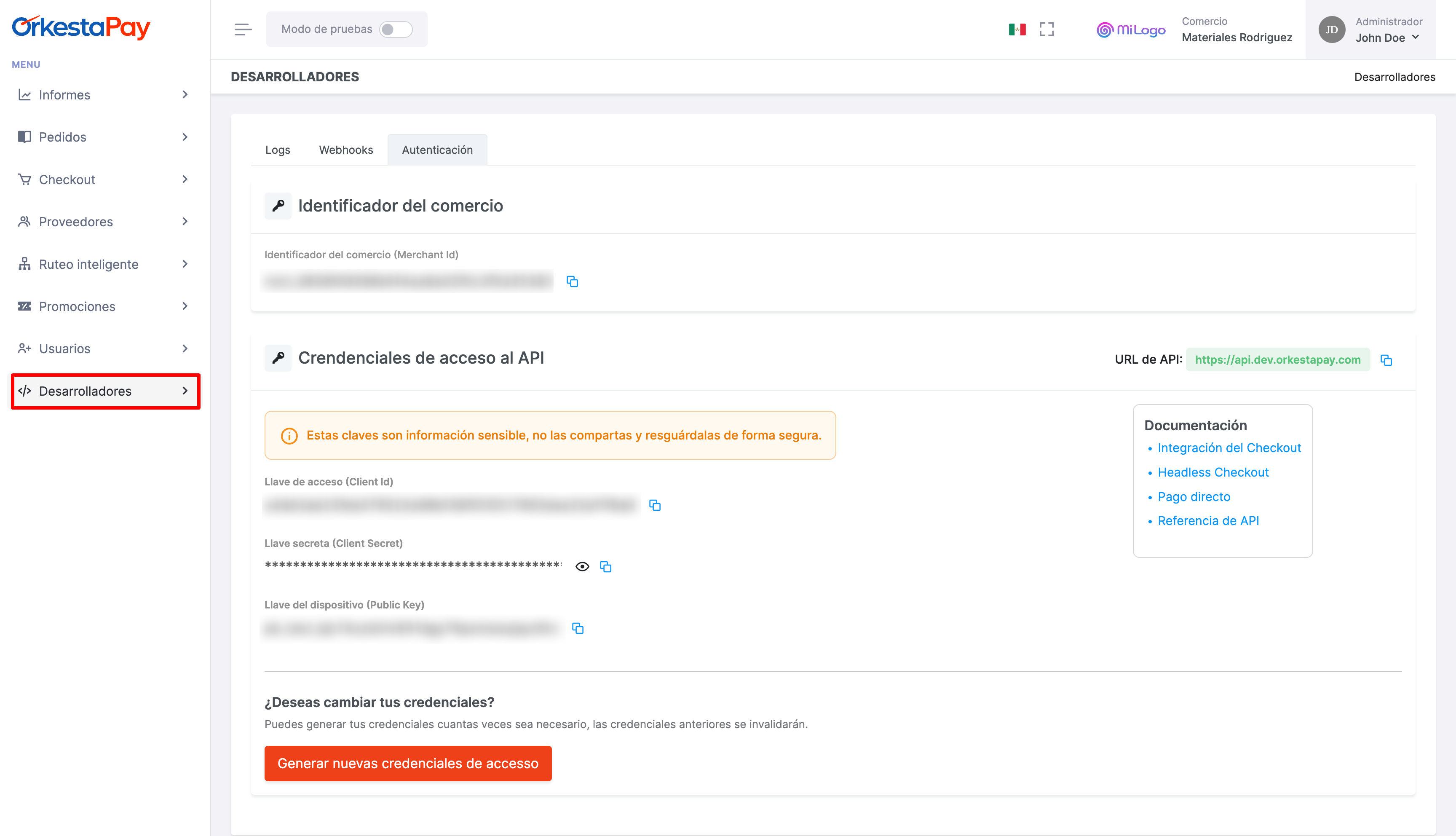
Log in to the OrkestaPay portal and navigate to the Developers section to find the keys to start your integration.
Secret and Public Keys
OrkestaPay provides 4 integration keys: 2 are public keys and the remaining 2 are secret or sensitive keys that you must protect during the integration process.
- Merchant ID: A unique identifier for your merchant account. Combined with the device key, it generates a device fingerprint where the payment is processed for fraud prevention. Used on the client side.
- Access Key: Combined with the secret key, this key enables authentication to communicate with the OrkestaPay API. Used on the server side.
- Secret Key: Combined with the access key, this key enables authentication to communicate with the OrkestaPay API. Used on the server side.
- Device Key: Combined with the Merchant ID, it generates a device fingerprint where the payment is processed for fraud prevention. Used on the client side.
Regenerate Integration Keys
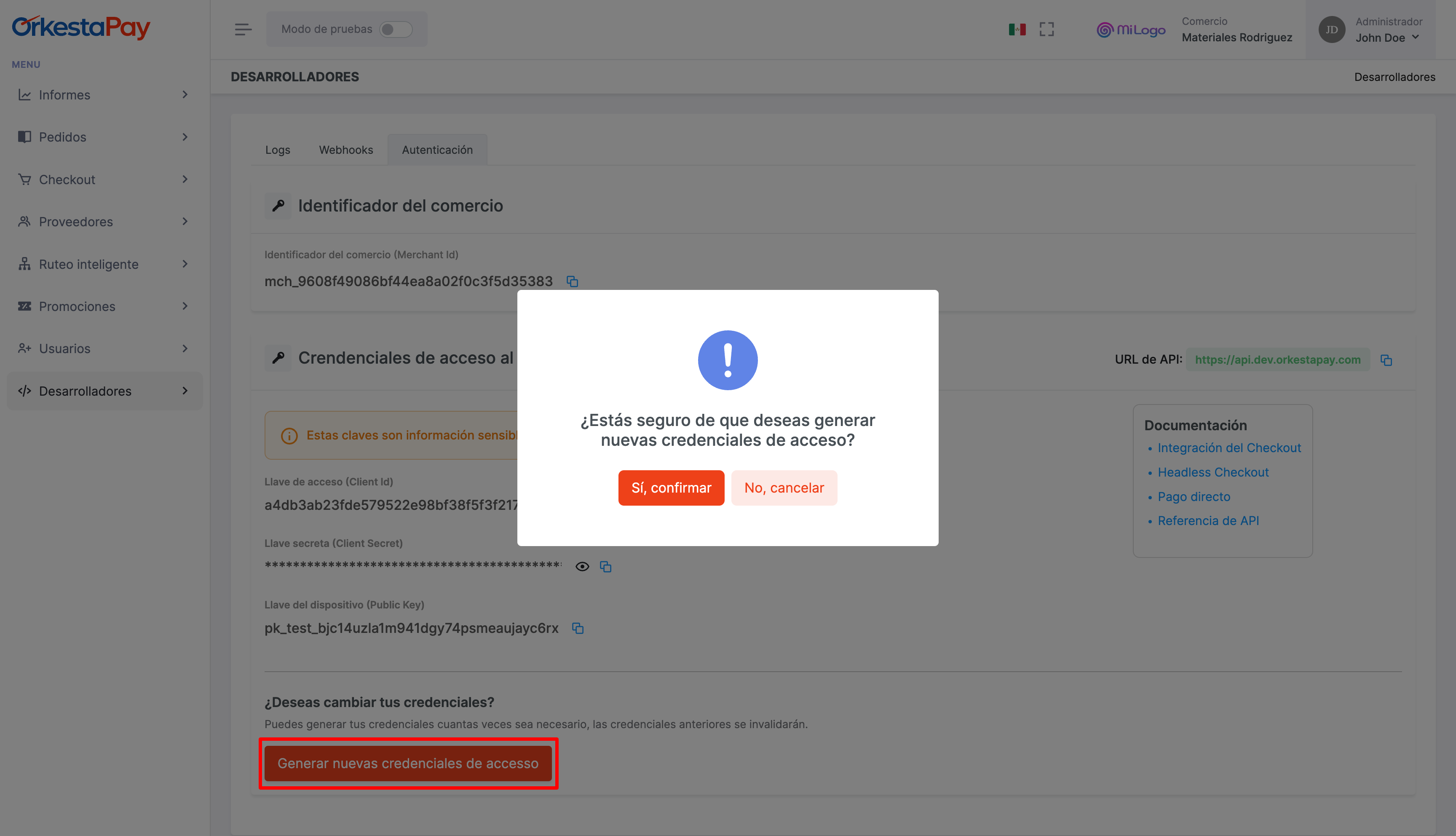
If you believe your integration keys have been compromised, you can regenerate them. The previous keys will become obsolete. To do this, go to the Developers section and scroll down to find the option to generate new keys. You will need to confirm this action beforehand.
Test and Production Modes
When running integration tests, make sure to switch the operating mode (using the toggle in the top bar) and copy the correct keys, as they change depending on the environment.
Updated 4 months ago